Tiled Simulations
Tiled Simulations were introduced in Fluid Frenzy in version v1.0.6 as a beta feature. If you encounter any bugs, issues, or have suggestions, please report them here.
Purpose
When building a large world with multiple terrains, Fluid Frenzy allows you to place a dedicated simulation on each terrain tile and seamlessly connect them. This Tiled Simulation feature enables neighboring simulations to interact dynamically, allowing fluid to flow freely and continuously across the boundaries between tiles.
Setup
You can configure neighbors using one of two methods:
1. Automatic Setup (Recommended)
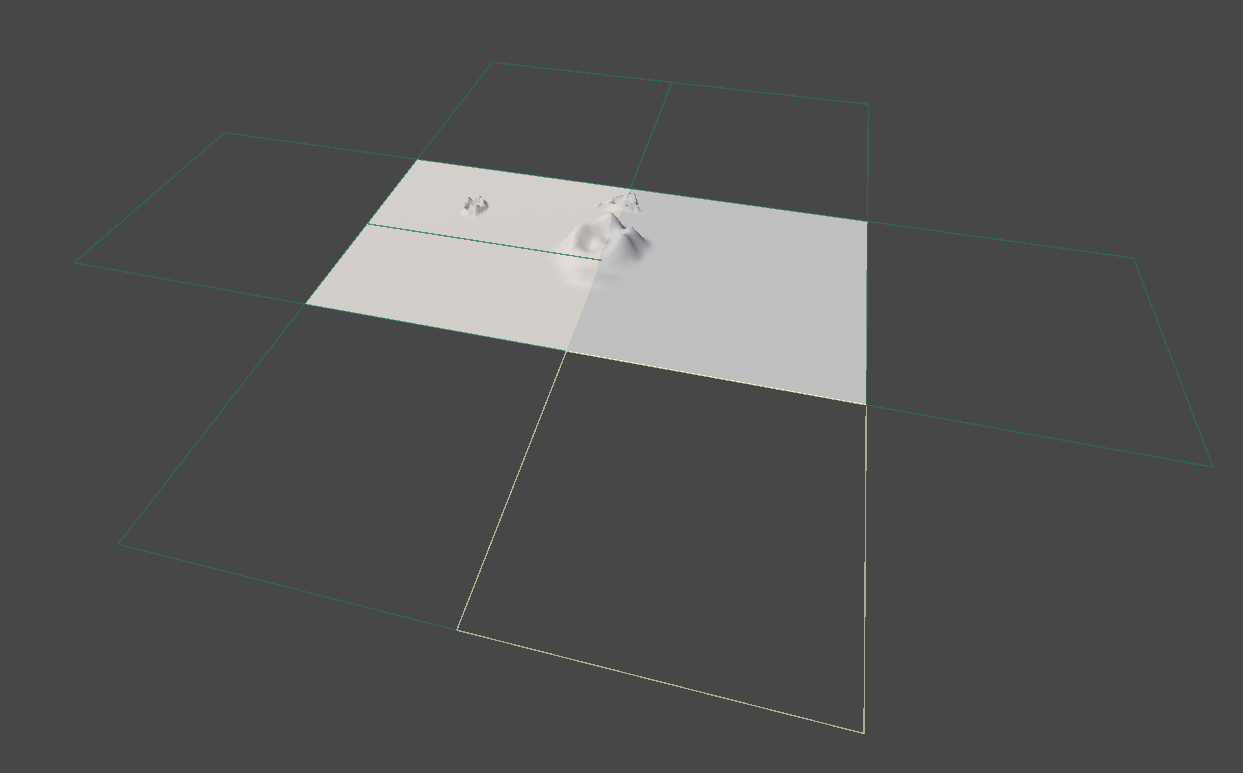
Neighbouring simulations can be added quickly using the scene view gizmos, which function similarly to how the Unity Terrain system adds adjacent tiles.
- Process: Pressing the gizmo adds a new Fluid Simulation.
- Automation: The system attempts to automatically copy all settings assigned to the original fluid Simulation to the new simulation and connect up any terrain (if available).
2. Manual Setup
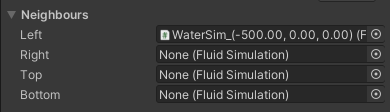
Alternatively, neighbors can be set up manually via the Inspector.
- Process: Drag a Fluid Simulation component into the corresponding Neighbour field Fluid Simulation in the inspector (Left, Right, Bottom, or Top).
Padding for Continuity
When neighboring tiles utilize advanced features such as flow mapping, foam generation, or dynamic velocity, they require extra border padding. This padding ensures that the edges of one tile receive enough data from its neighbor to maintain smooth flow and feature continuity across the seam for optimal performance.
- Setting Location: The setting for padding (
paddingScale) can be found on the Fluid Simulation Settings. - Default: The amount of padding required depends on the resolution of the texture and defaults to 0%.
- Adjustment: The padding can be increased in increments that are multiples of two.

The World sample uses a Water World Renderer to draw a large ocean around a coastline simulation. That is a rendering setup. It is not the same as linking neighbour tiles here.